
MADE FOR SMALL SHOPS
Run your shop without the complicated POS.
Sell faster, keep track of stock, know your daily money and keep your records even when the internet is unavailable.
Available on Android · Built for small shops in Ghana, South Africa, Zimbabwe, the UK, the US and Germany
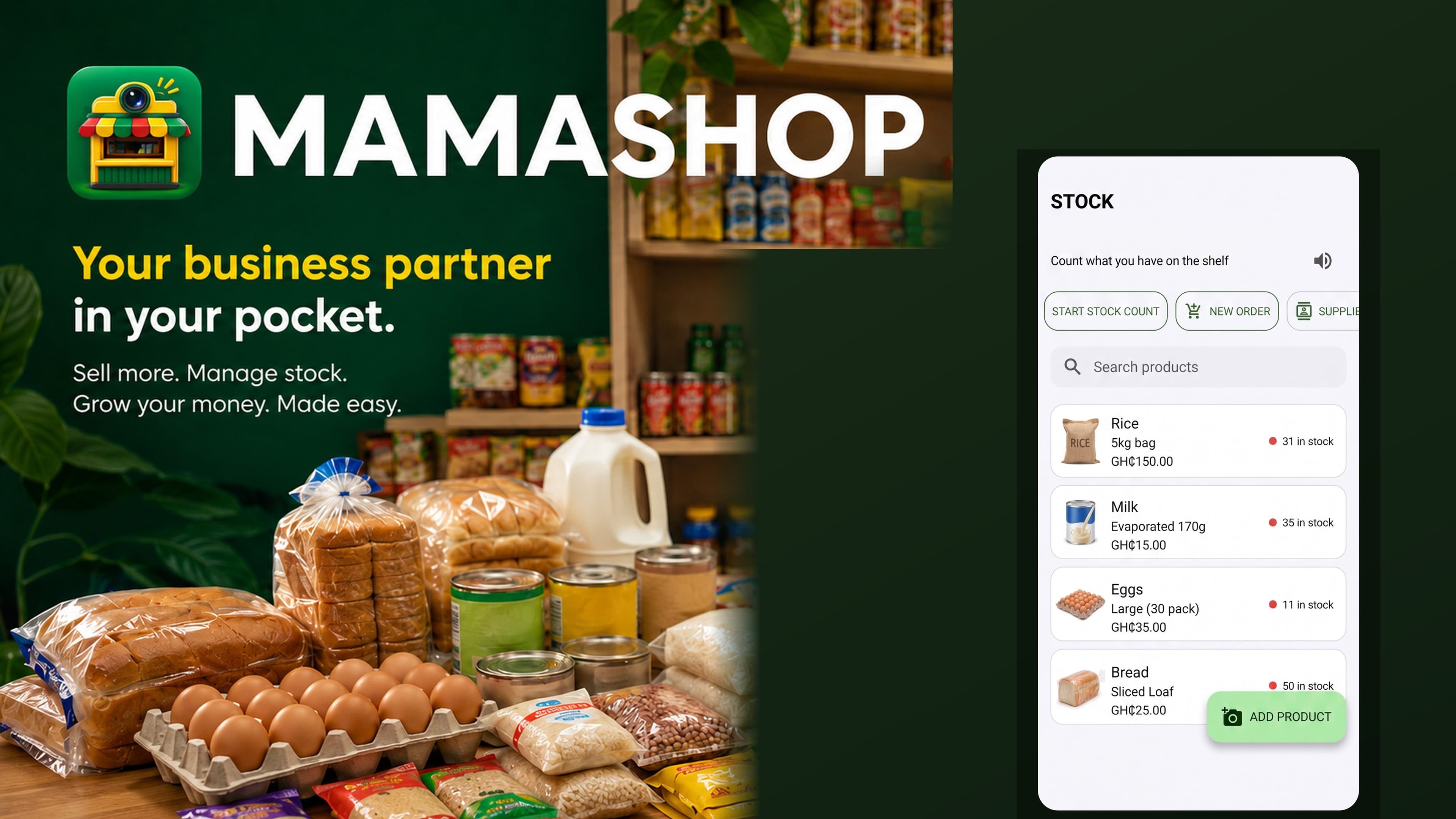
Most POS systems make you learn the system.
This one works more like the way you already sell.
- 1A customer wants bread, milk and eggs.
- 2You enter the price.
- 3The matching products appear.
- 4Tap what they bought.
- 5The app records the sale and updates your stock.
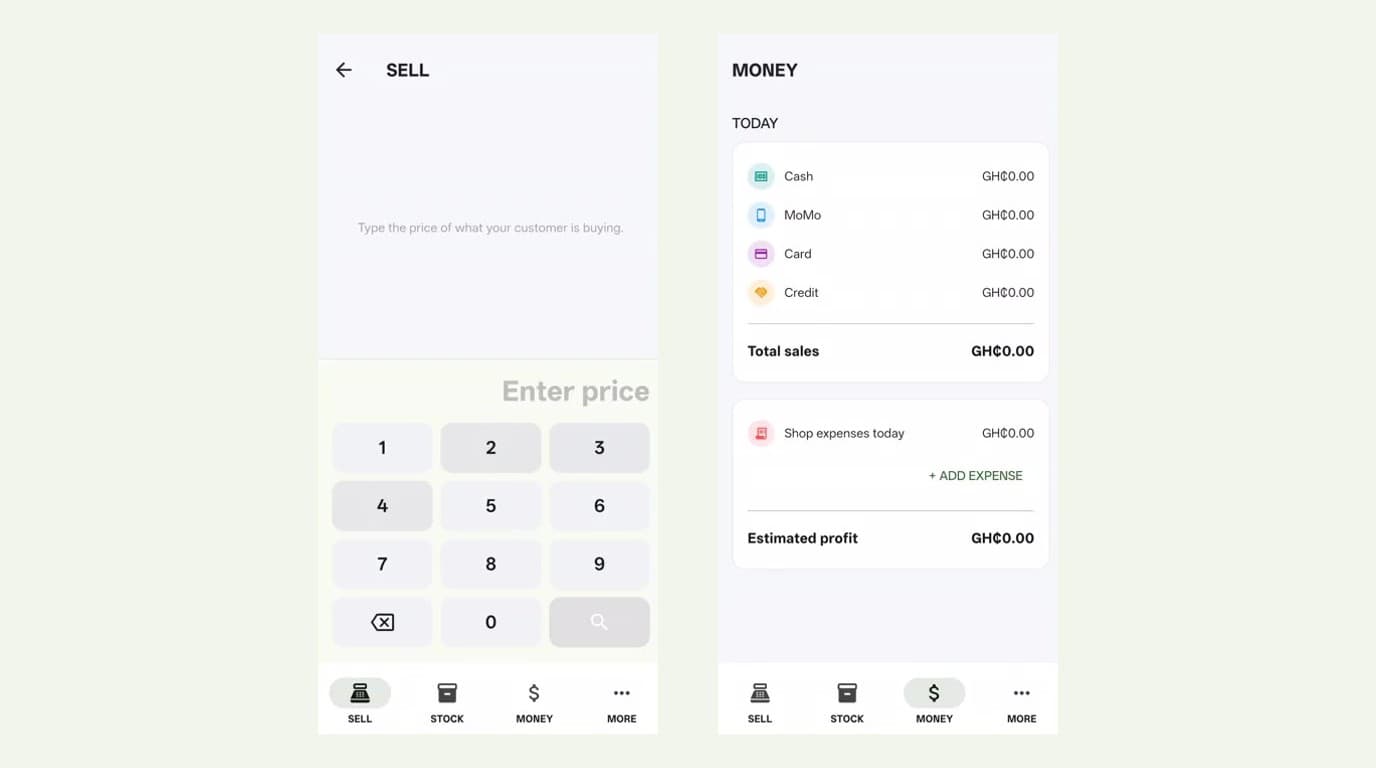
Sell in seconds
- 01
Enter the price
Type what the customer is paying.
- 02
Choose the product
The app shows the products sold at that price.
- 03
Tap the quantity
One tap = one item. More taps = more items.
- 04
Finish the sale
Choose Cash, MoMo, Card or Credit and the sale is recorded.
You do not need to remember every item you sold. The app records it for you.
Built for the shop where one person does everything.
One customer wants milk.
Another is holding biscuits and tomato paste.
Someone else is waiting to pay.
You do not have time to fill forms. You need to sell.
Tap each product as it’s picked up, and the app keeps a running subtotal. When the customer is ready, choose how they paid: Cash, MoMo, Card or Credit. The sale is recorded.
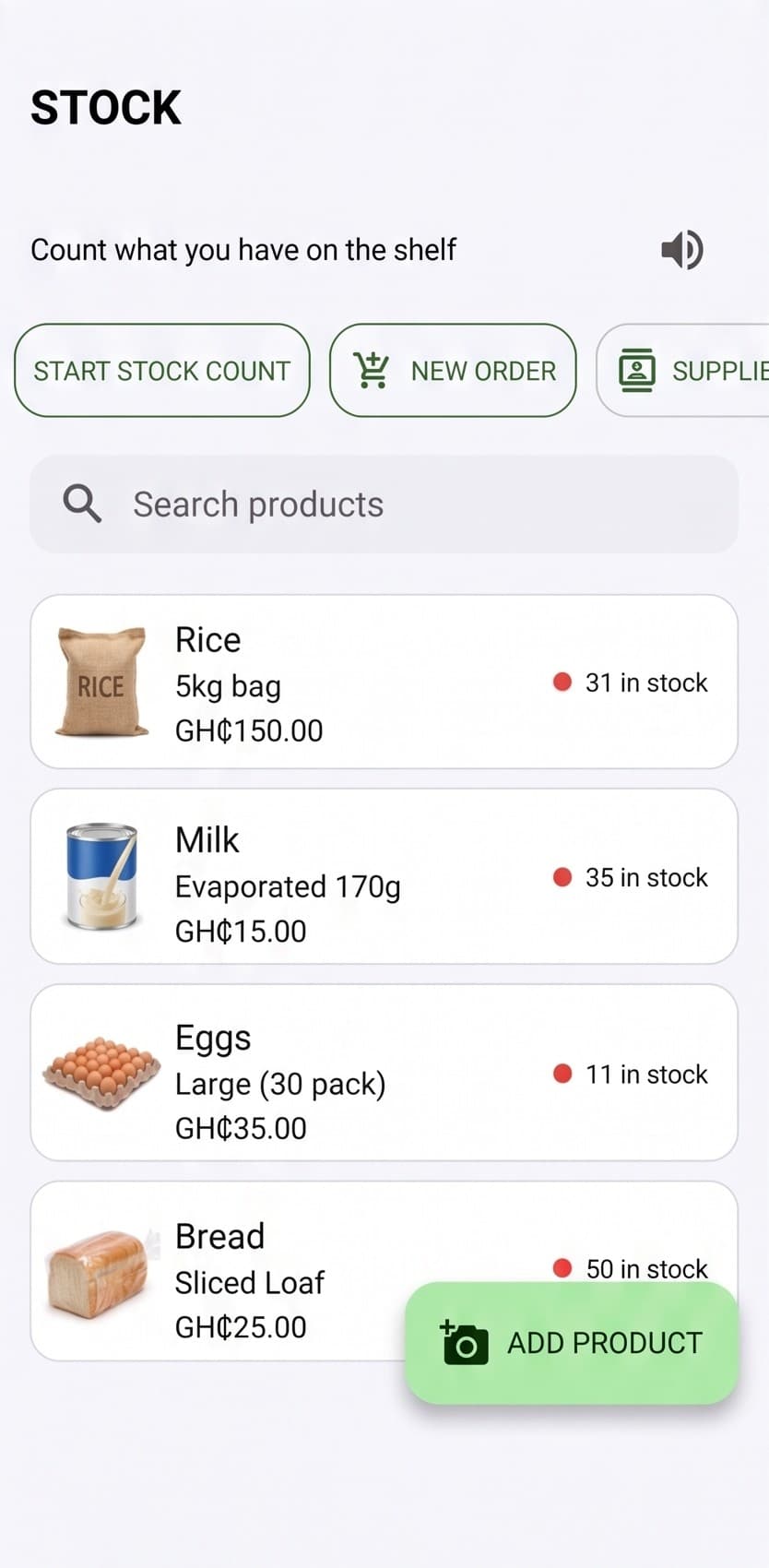
Know what is in your shop.
Add products with pictures, keep track of quantities and see what needs restocking.
- Product pictures, so you recognize items at a glance
- Quantities for every product on the shelf
- Low-stock and expiring alerts
- Quick stock counts and stock adjustments
Add a product in seconds
Take a photo, enter the product details and save it to your stock. Optionally add an expiry date, supplier, category, or a low-stock alert quantity.
New product
- 1Take a photo of the product
- 2Enter the product name and selling price
- 3Enter the buying price
- 4Enter the current stock quantity
Restocking
Restocking an existing product is even faster.
- 1Tap the existing product
- 2Enter the new quantity received
- 3Edit the buying or selling price if it changed
- 4Confirm restock
Prices change. MamaShop lets you update a product’s selling price whenever you need to, right from Stock.
Know where your money went.
See your sales by payment method: Cash, MoMo, Card and Credit. Understand how much your shop made today.
Choose your country during setup
Your shop currency is applied across sales, stock, expenses, profit, customer credit, reports and supplier orders.
 GhanaGHS (GH₵)
 South AfricaZAR (R)
 ZimbabweZWG (ZiG) or USD ($)
 United KingdomGBP (£)
 United StatesUSD ($)
 GermanyEUR (€)
In Zimbabwe, choose ZiG or USD as your shop currency. More countries are being added over time.
The app remembers the buying price used at the time of each sale, so your past profit doesn’t change just because a product’s buying price changes later.
No internet? Keep selling.
Your shop should not stop because the internet does.
Internet OFF
Still working
Internet returns
Know what is happening in your shop.
The main screen stays simple, but the detail is there whenever you need it.
- Today's, weekly and monthly sales
- Best-selling products
- Low-stock and expiring products
- Sales history and expenses
- Gross profit and payment breakdown
Running low? Tell your supplier.
Select the products you need. The app groups them by supplier and prepares a WhatsApp message for you to review and send yourself.
Your supplier doesn’t need to install anything. It’s still your existing supplier, just a faster message to them.
ORDER MESSAGE
Milo x10
Eggs x30
Biscuits x20
Keep track of credit.
See which customers owe the shop, how much, and since when. Then call or message them on WhatsApp when payment is due.
Need help? Listen.
Optional audio guidance in English, with Twi available where supported, helps sellers through important stock-taking steps.
Text stays in English. Audio is optional and never plays on its own.
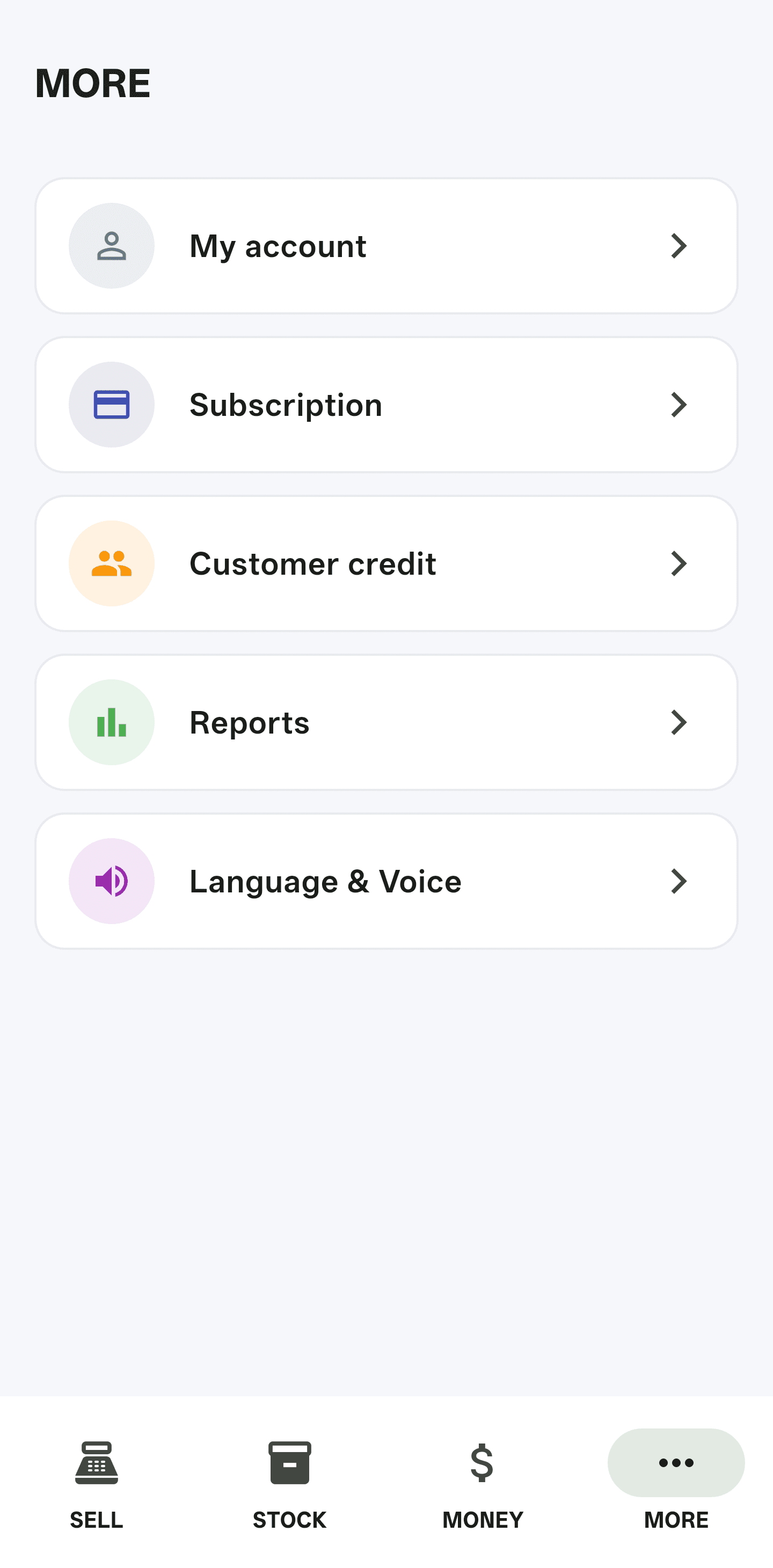
Four places. That’s it.
The app keeps the main screen simple so the seller can focus on serving customers.
How it works
01
Set up your shop
Add your shop and products.
02
Start selling
Use the fast price-based selling screen.
03
Keep your stock updated
Add products with a photo and details, then restock in a few taps.
04
Know your money
See sales, expenses, profit and reports.
Simple pricing
Every new shop starts with a 30-day free trial with full access. No restrictions, nothing to configure.
30 days free
Full access to Sell, Stock, Money, Reports, Customer Credit and other MamaShop features.
Then, monthly subscription
Localized price
Your local subscription price is shown securely by Google Play at checkout, based on your Google Play country or region.
Cancel anytime.
Available for shops in Ghana, South Africa, Zimbabwe, the UK, the US and Germany. Subscription handled securely through Google Play.
See the app
Stock
Welcome
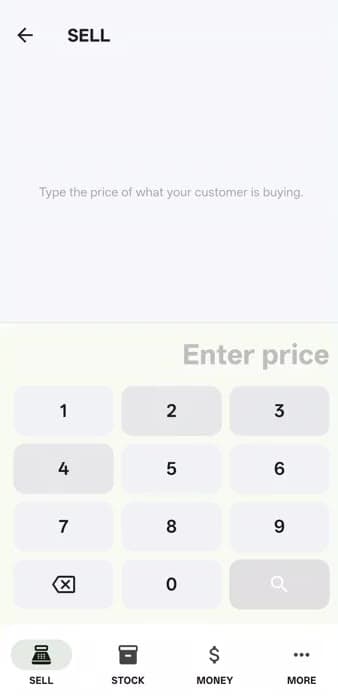
Sell
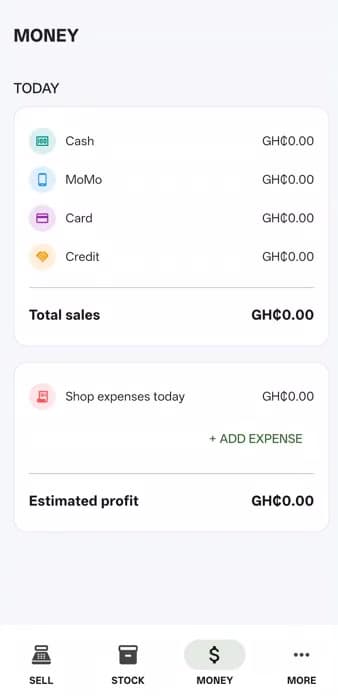
Money
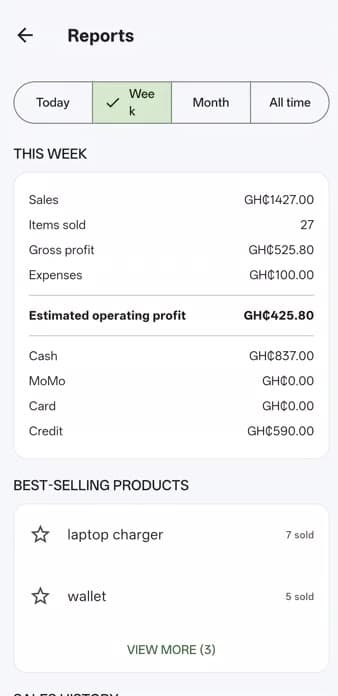
Reports
More
Watch it in action
Setting up a shop, making a sale, checking stock, money and reports, all in the real app.
What shop owners say
Sample feedback shown for illustration while we collect real reviews from MamaShop shop owners.
“I don't spend the evening counting cash anymore. I just check the app.”
Aba
Adom Shop, Airport Ridge, Takoradi
“Restocking used to take forever. Now I tap the product and I'm done.”
Sister Joyce
Psalm 23 Shop, Achimota, Accra
“I finally know which items are running low before I run out completely.”
Mama Efua
Blessed Hands Store, Adum, Kumasi
“Selling is faster than writing everything in my exercise book.”
Kwabena
K-Mart Provisions, Asokwa, Kumasi
“I can see exactly who owes me and how much, without digging through notebooks.”
Auntie Comfort
Grace Provisions, Sakumono, Tema
“It's simple enough that my daughter can run the shop when I'm not around.”
Yaa
Yaa's Corner Shop, Bantama, Kumasi
“I check my daily sales before I close the shop now, every night.”
Brother Kojo
Living Waters Store, Ho Central
“My expenses used to just disappear. Now I can see exactly where the money goes.”
Abena
Nhyira Shop, Koforidua Zongo
“No more guessing what's selling well and what's just sitting on the shelf.”
Sister Mary
Emmanuel Provisions, Cape Coast
“Credit sales are no longer a headache to track. It's all in one place.”
Fuseini
Faisal Stores, Aboabo, Tamale
Frequently asked questions
Your shop. Your sales. Your stock. One simple app.
Spend less time writing down sales and more time serving your customers.